AI App Builder for Enterprise: Complete Guide to No-Code Solutions for Business in 2026
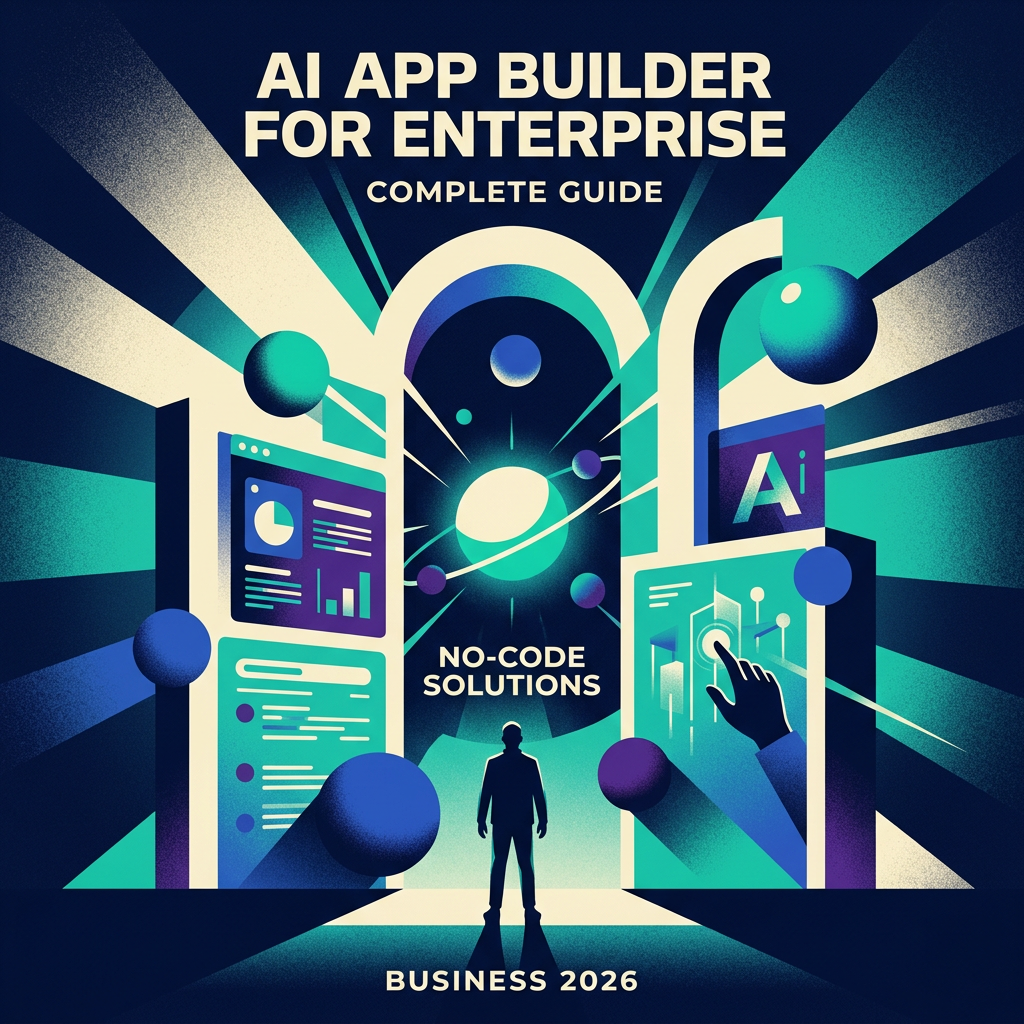
AI App Builder for Enterprise: Complete Guide to No-Code Solutions for Business in 2026
Enterprise software development has a backlog problem. The average IT team is sitting on more requests than they can realistically ship in a year — internal dashboards, approval workflows, operations tools, client portals — while the business moves faster than any fixed roadmap can accommodate. AI app builders for enterprise are the most direct answer to that gap that the industry has produced.
This guide covers what enterprise AI app builders are, what separates the good ones from the risky ones, how to evaluate platforms for your specific context, and where the technology is heading next.
What Is an AI App Builder for Enterprise?
An enterprise AI app builder is a development platform that uses artificial intelligence to accelerate, and in some cases fully automate, the creation of business applications. The core mechanic varies by platform — some accept natural language prompts and generate a working application from scratch, others use AI to assist within a visual editor, and others bring AI code generation to developer workflows — but the shared promise is the same: meaningful applications, built dramatically faster than traditional development allows.
What distinguishes an enterprise-grade AI app builder from a consumer or startup-focused tool is the surrounding infrastructure: security certifications, role-based access control, audit logging, self-hosted deployment options, enterprise authentication (SSO, SAML), and the ability to connect reliably to existing enterprise data systems. A tool that can generate a beautiful UI in thirty seconds but can't connect to your SAP instance or pass your InfoSec review isn't an enterprise solution regardless of how impressive the demo looks.
The category now spans three distinct approaches, each suited to different team profiles.

No-Code vs. Low-Code vs. Code-First AI App Builders
No-code AI platforms are designed for business users with no development background. The entire build process happens through visual interfaces and natural language prompts. You describe what you want, the AI generates it, and you refine it through point-and-click editing. The ceiling for complexity is lower, but the accessibility is unmatched. Right for: operations teams, HR, finance departments building their own internal tools without IT involvement.
Low-code AI platforms target a hybrid audience — technical operators, analysts, and developers who want the speed of visual building without sacrificing control. You can work visually for 80% of the application and drop into code for the remaining 20% where custom logic is required. This is the dominant approach for internal tooling teams building production-grade applications. Right for: product teams, forward-leaning IT departments, technical operations.
Code-first AI frameworks give developers full control with AI assistance layered in — code generation, intelligent autocomplete, automated testing, and architectural suggestions. Less drag-and-drop, more IDE-with-superpowers. Right for: engineering teams that need maximum flexibility and are building complex, custom enterprise applications.
The distinction matters practically: buy a no-code tool for a development team and they'll feel constrained. Deploy a code-first framework to a business analyst and nothing will get built. Match the platform to the actual users.
Key Benefits of Enterprise AI App Builders
Development speed. The most measurable benefit. Applications that would take a development team two to three months to specify, design, build, and deploy can be produced in days to weeks. For internal tools especially — where the product requirements are clear and the user base is known — AI app builders compress the entire cycle dramatically.
Reduced IT backlog. When department heads can build their own tools with appropriate guardrails, the IT team stops being the bottleneck for every internal software need. Governance frameworks keep this from becoming shadow IT.
Lower cost per application. Traditional custom development costs scale with engineering hours. AI app builders shift the cost model toward platform fees, which are typically flat regardless of how many apps you build. For organizations with high internal tooling demand, the economics compound significantly.
Faster iteration. Requirements change. In traditional development, a change request goes back into the queue. With an AI app builder, iteration happens in the same session. This is particularly valuable for use cases where the workflow itself is still being refined.
Democratized development. Moving application creation closer to the people who understand the business problem most deeply — not just the engineers — produces better tools. A logistics manager who can build their own dispatch dashboard will build something more useful than an engineer working from a specification document.
Core Features Every Enterprise AI App Builder Must Have

Security and Compliance
For enterprise procurement, compliance certifications are the filter that shortlists the market before any feature comparison happens.
SOC 2 Type II is the baseline for US enterprise buyers. It demonstrates that the vendor has undergone independent audit of their security controls over a period of time — not just a point-in-time snapshot.
GDPR compliance is non-negotiable for EU operations or any organization handling EU citizen data. This encompasses data residency requirements (data stored within the EU), the right to erasure, and data processing agreements.
ISO 27001 carries significant weight in European enterprise procurement and demonstrates a systematic approach to information security management.
Beyond certifications, assess: role-based access control (RBAC) with row-level and field-level granularity, data encryption at rest and in transit, SSO and enterprise identity provider integration (Okta, Azure AD, Google Workspace), multi-factor authentication, and comprehensive audit logging — who accessed what, when, and what they changed.
Integration Capabilities
An AI app builder that can't connect to your existing data is an island. Enterprise integration requirements typically span:
Databases: PostgreSQL, MySQL, Microsoft SQL Server, MongoDB, Snowflake, BigQuery, Redshift. Native connectors with the ability to write custom SQL are preferable to GUI-only abstractions.
REST and GraphQL APIs: Full control over headers, authentication schemes (API key, OAuth 2.0, Bearer token), and request structure.
Enterprise SaaS: Salesforce, HubSpot, Jira, Slack, Microsoft 365 (SharePoint, Teams, Excel), Google Workspace. Depth of integration — read-only versus full CRUD — varies substantially between platforms.
ERP systems: SAP, Oracle, Microsoft Dynamics. This is the hardest integration problem. Most platforms approach it through the REST API layers these ERPs expose, but configuration complexity is significant and should be evaluated hands-on, not trusted to vendor documentation.
AI-Powered Development Features
The AI layer should accelerate development across multiple phases, not just initial generation:
- Prompt-to-app generation: Describe the application, get a working scaffold with data model, UI, and basic logic
- Iterative refinement through conversation: Continue refining the application by describing changes in natural language
- Intelligent component suggestions: AI recommends UI patterns based on the data structure and use case
- Automated form and validation generation: Forms generated from data schemas with appropriate validation rules
- Code explanation and documentation: AI explains what generated code does, reducing the black-box risk
Top Enterprise AI App Builder Platforms in 2026
AppQuartex is built specifically for enterprise teams that need to move fast without sacrificing governance. Its AI-first architecture generates full-stack applications from natural language prompts, while the underlying platform supports the compliance and integration requirements enterprise procurement demands. Particularly strong for cross-functional teams where business operators and developers collaborate on the same application. SOC 2 compliant with enterprise SSO and role-based permissions built into the foundation rather than bolted on.
Microsoft Power Apps dominates in organizations already running on the Microsoft 365 stack. The integration story with SharePoint, Teams, Azure, and Dynamics is unmatched within that ecosystem. The AI capabilities have improved significantly with Copilot integration. Less compelling for teams whose data and workflows live outside the Microsoft world.
Retool remains the strongest option for developer-led internal tool development. Broad data source support, a deep component library, and the ability to write JavaScript anywhere it's needed give developers significant control. AI features are now embedded throughout the builder. Primary audience is technical; less accessible for purely business-user builds.
Bubble is best positioned for external-facing application development — customer portals, marketplace MVPs, and product builds that need a public interface. Less optimized for pure internal tooling but a serious option when the output is a customer-facing product.
Softr wins on speed and simplicity for teams with data in Airtable or Google Sheets. Time-to-first-app is faster than almost any other platform. The ceiling for application complexity is lower, but for straightforward client portals, internal directories, and lightweight operational tools, it's exceptionally efficient.
Base44 focuses on rapid AI-powered generation with a clean visual editing layer. Strong for prototyping and early-stage internal tools. Enterprise security features are maturing.
Mendix is a mature low-code platform with a strong presence in large enterprise and regulated industries. Extensive compliance certifications, robust on-premises deployment options, and a model-driven architecture that suits complex enterprise workflows. Heavier and slower to get started than AI-first platforms, but trusted in environments where that thoroughness is required.
OutSystems occupies similar territory to Mendix — enterprise-grade low-code with a long track record in financial services, healthcare, and government. Deep Java-based backend, strong support organization, and substantial pricing to match.
Real-World Enterprise Use Cases
Internal dashboards and reporting: Merging data from multiple systems — ERP, CRM, support ticketing, analytics — into a single operational view for managers. What previously required a dedicated BI implementation can often be built in days.
Approval and workflow automation: Purchase order approvals, expense management, content review workflows, HR request routing. Multi-step, multi-approver processes with conditional logic and notification hooks.
Customer portals: Client-facing interfaces that expose selected data — order status, support ticket history, account management — without building a custom web application from scratch.
HR and people operations tools: Onboarding trackers, performance review systems, PTO management, organizational charts, internal job boards.
Inventory and operations management: Custom interfaces for tracking assets, inventory levels, maintenance schedules, and supply chain status — particularly valuable when off-the-shelf inventory software doesn't map to how your operation actually works.
Manufacturing and field operations: Equipment inspection logs, defect tracking, shift handover tools, safety incident reporting — use cases where mobile accessibility and offline capability matter.
Finance and compliance tools: Budget tracking dashboards, vendor management portals, audit preparation tools, regulatory reporting interfaces.
Security Considerations for AI-Generated Code
AI-generated code introduces a category of risk that organizations need to address deliberately. The speed benefits are real, but so is the possibility of generating code that is functional but not secure.
Review before production deployment. AI-generated applications should go through the same code review process as manually written code. Many enterprise AI app builders provide the application as an auditable artifact — use it.
Validate data handling. Check that AI-generated data queries don't expose records users shouldn't see. Row-level security should be verified, not assumed. Test with user accounts of different permission levels before launch.
Audit the integration layer. When the AI generates API calls or database connections, verify that credentials are handled correctly — stored as environment variables or secrets, not hardcoded in application logic.
Test access controls end-to-end. Role-based access controls configured in the platform need to be tested from the user perspective, not just configured in the admin panel.
Establish a governance framework. Define who is authorized to build what category of application, what review process is required before production deployment, and how deployed applications are inventoried and maintained. The goal is empowering broad development without creating an unmanageable security surface.
Cost Analysis and ROI
Enterprise AI app builder pricing typically follows one of three models:
Per-creator plus end-user fees. You pay for the people building applications (creators) at a higher rate, and for the people using them (end users) at a lower rate. This is common in Retool, Power Apps, and similar platforms. Economics favor organizations with a small build team and many consumers.
Flat enterprise license. Annual contract covering unlimited creators and end users, negotiated based on organizational size and feature tier. Typical for Mendix, OutSystems, and enterprise-tier plans on mid-market platforms.
Consumption-based. Some platforms charge based on application usage — API calls, data operations, or active sessions. Can be economical at low usage and expensive at scale.
When calculating true TCO, include: platform subscription fees, implementation and setup time (typically 2–8 weeks for enterprise onboarding), integration development costs for connecting to existing systems, training, and the ongoing cost of platform administration.
For ROI, the clearest calculation is displacement cost: what would this application have cost to build and maintain with traditional development? A conservative estimate for a custom internal tool through traditional development is $50,000–$150,000 in engineering cost and 3–6 months of time. An AI app builder can reduce both by 70–90% for the majority of internal tool categories.
Implementation Best Practices
Start with internal tools before customer-facing applications. Internal tools have lower stakes for errors, faster feedback loops from known users, and clearer requirements. Build organizational capability and confidence before tackling external-facing applications.
Establish governance before scaling. Define approved platforms, required review processes, data classification rules, and ownership responsibilities before you have dozens of applications deployed. It's much harder to impose governance retroactively.
Identify and train internal champions. Find the technically inclined people in operations, finance, HR, and other departments who will become the citizen developers on your platform. Their success is the case study that drives broader adoption.
Build a reusable component library. As you build more applications, extract common UI patterns, data connectors, and logic modules into shared components. This compounds the speed benefits over time.
Plan for maintenance from day one. Applications need owners. When the person who built a tool leaves the organization, someone needs to be able to understand and maintain it. Documentation and handover processes matter even in low-code environments.
Avoid vendor lock-in through abstraction. Where possible, keep business logic and data models in systems you control, using the AI app builder as the UI and workflow layer. This makes migration feasible if you need to switch platforms.
Choosing the Right AI App Builder for Your Enterprise
Run through these five questions before shortlisting:
- Who is actually building? Developers, technical operators, or pure business users — this single question eliminates most of the market.
- What compliance certifications are required? SOC 2, HIPAA, GDPR, FedRAMP — establish your floor before comparing features.
- Where does your data live? List your critical data sources and verify native connector support in each candidate platform. Run a proof of concept against your actual data, not demo data.
- What's your deployment requirement? Cloud-hosted, private cloud, or on-premises. This significantly narrows the field.
- What does the total cost look like at your scale? Calculate platform fees at your expected creator and end-user counts, plus realistic implementation costs. The cheapest platform on paper is often not the cheapest platform in practice.
Request a pilot on a real internal problem — not a vendor-provided demo scenario. Two to three weeks of hands-on evaluation against an actual use case will reveal friction that no feature list will.
The Future of Enterprise Application Development with AI
The direction is toward increasingly autonomous application development. The current generation requires human input at every meaningful decision point — prompting, reviewing, approving. The next generation will handle more of the specification, testing, and deployment loop autonomously, with humans reviewing outcomes rather than guiding each step.
Agentic workflows are the most significant near-term evolution. Rather than building an application that surfaces data for humans to act on, AI agents embedded in enterprise tools will take actions — updating records, triggering integrations, routing requests, generating documents — based on defined rules and real-time data. The line between application and automation continues to blur.
Multi-modal development interfaces — where you can describe an application through voice, sketch a UI and have it generated, or point at an existing spreadsheet and have it converted to a proper application — are already in early availability and will become standard.
The governance challenge will intensify as the tooling matures. More people building more applications faster creates more surface area to manage. Organizations that invest in internal governance frameworks now will be significantly better positioned to scale safely.
Conclusion
Enterprise AI app builders have moved from experimental to essential. The question for most organizations is no longer whether to adopt one, but which one, deployed how, to which teams.
The key decisions are: matching platform to user capability, verifying compliance and security before committing, confirming real-world integration support against your actual data stack, and establishing governance before deployment scales.
Start with a real internal problem, run a genuine pilot, and measure against the alternative — not against the vendor's benchmark. That comparison will make the decision obvious.
Frequently Asked Questions
What is an AI app builder for enterprise and how does it work?
An enterprise AI app builder is a platform that uses AI to generate, assist, or accelerate business application development. Depending on the platform, it may accept natural language descriptions and generate working applications, assist within a visual editor, or provide AI code generation for developers. Enterprise-grade platforms add security certifications, compliance controls, and integration capabilities on top of the core building experience.
Do I need coding knowledge to use enterprise AI app builders?
No-code platforms require none. Low-code platforms benefit from some technical familiarity for complex use cases. Code-first AI frameworks are designed for developers. Most enterprises deploy a combination based on who is doing the building.
How secure are AI-generated applications for enterprise use?
As secure as the platform's underlying infrastructure and the review processes you apply. Reputable enterprise platforms carry SOC 2, GDPR, and ISO 27001 certifications. AI-generated code should go through the same review process as manually written code before production deployment.
What compliance certifications should I look for?
SOC 2 Type II for US enterprise, GDPR compliance for EU data, ISO 27001 for international enterprise, HIPAA for healthcare, FedRAMP for US federal. Match requirements to your industry and geographic footprint.
Can enterprise AI app builders integrate with existing business systems?
Yes — databases, REST APIs, major SaaS platforms, and in most cases ERP systems. The depth and reliability of these integrations varies by platform and should be tested with your actual systems before committing.
How much does an enterprise AI app builder cost?
Platform fees range from a few hundred dollars per month for small teams on mid-market platforms to six-figure annual contracts for full-enterprise solutions like Mendix or OutSystems. Total cost of ownership including implementation typically runs higher than the platform fee alone.
What types of applications can I build?
Internal dashboards, approval workflows, customer portals, HR tools, inventory management systems, operations tracking tools, reporting interfaces, and any custom CRUD application your business requires.
How long does it take to build an enterprise app with these platforms?
Simple internal tools: hours to a few days. Complex multi-system applications with conditional logic and enterprise integrations: one to four weeks. Compared to traditional development cycles of two to six months for equivalent functionality.
On this page
Share

Ready to ship internal tools—safely?
Book a demo to see AppQuartex on your use case and deployment requirements.

Build secure internal apps with your team — dashboards, approvals, and workflows — deployed with IT guardrails.
© 2026 AppQuartex.ai. All rights reserved.